AI can spell now. Is your Christmas flyer ready for the printer?
Canva has launched its own AI image model and the text in AI images is getting better. What that fixes for festive print, what it doesn't, and when to start.
· 5 min read
By the Blessed Pixels team
For years the giveaway on an AI-made poster was the lettering. "Merry Chrismtas". A menu offering "Roast Turky". A phone number with a digit that was half a seven and half a one.
That's improving fast. Canva has released its first image generation model, and coverage of it describes a tool called Craft that plans the layout before generating the image and lets you edit the text. Other tools have been heading the same way all year.
So plenty of businesses will make this year's Christmas menu, gift voucher or window poster with AI. Better spelling solves one problem. It leaves the others where they were, and the festive season is the worst time to discover them, because every printer is busy and every day counts.
What better AI text actually fixes
Real, editable text is a big step. It means you can correct the price of the Christmas lunch without asking the AI to redraw the whole picture, and it means fewer invented letters sneaking onto the finished print.
It's still worth reading every word slowly, out loud. Dates, prices, phone numbers and web addresses are where a single wrong character costs you. AI tools can produce text that looks perfect and says the wrong thing, such as last year's date or a day of the week that doesn't match.
If your image already has garbled lettering baked in, replacing it with clean type is one of the usual AI artwork problems we fix, so you don't have to start from scratch.
What it doesn't fix: the print side
Nothing about better spelling changes how a printer works. The same four things still trip up AI images:
- Size. Many AI images are too small in pixels to print sharply at A4 or bigger. We covered the maths in how big you can print an AI image.
- Bleed. The background has to extend past the cut line, and AI images stop exactly at the edge.
- The safe area. Words and the logo need to sit far enough inside the edge that the trim can't touch them.
- Colour. AI images are made for screens, and the brightest reds and greens of a festive design often print duller in ink.
That last one bites at Christmas in particular. A glowing screen red can come back a little brick-coloured, and a vivid holly green can turn olive. Our guide to bleed, safe area and CMYK for AI images explains why and what to expect. If you'd rather hand it over, this is what our print-ready packages do.
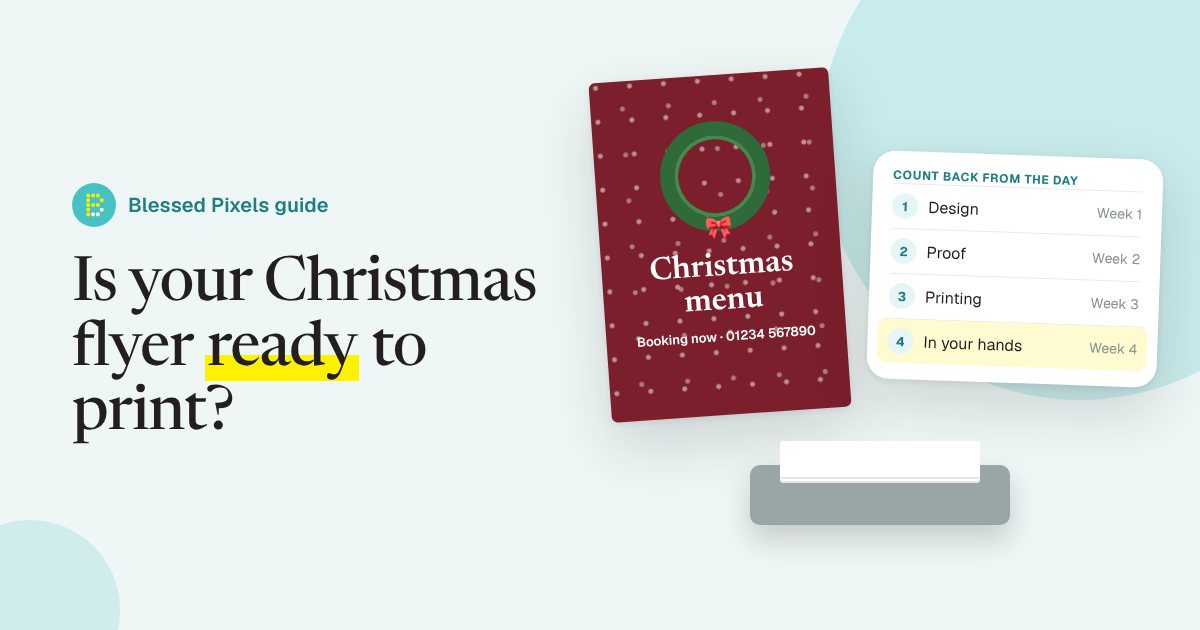
Count back from the day you need them
The most useful thing you can do this week has nothing to do with design. Take the date you need the prints in your hands and count backwards.
- Delivery. Printers quote delivery separately from production, and carriers get slower in December.
- Printing. Check your printer's turnaround for the product you want. Cards, booklets and anything with special finishes usually take longer than flyers.
- Proof. Allow time to check a proof properly, and longer if you're ordering a printed sample copy.
- Artwork. Getting the file right, including any changes.
If you're posting cards or vouchers to customers, add posting time on top. Royal Mail publishes its last recommended posting dates for Christmas each year, and other countries' postal services do the same.
For the artwork step, our packages have a stated turnaround in working days, with a 24-hour rush option if you're short of time. The details are on the print-ready order page. Working days matter here: bank holidays and weekends don't count, so leave room around them.
Festive jobs where AI images work well
Some seasonal print suits AI artwork nicely. Backgrounds and illustrations are where it shines: a snowy street, a wreath, a cosy table, a pattern for wrapping-paper-style borders. Add your real text on top in a proper font and you get something that looks made for you.
Good candidates:
- Christmas and New Year menus for cafés, pubs and restaurants.
- Gift voucher designs for salons, spas and shops.
- Window posters announcing late opening or holiday hours.
- Event flyers for markets, fairs and carol services.
- Thank-you cards to send to regular customers.
Jobs to be more careful with:
- Anything featuring famous festive characters from films, adverts or books. Father Christmas is fine; a well-known cartoon version of him belongs to someone. Our post on using AI images on flyers and menus covers this.
- Photos of your own food or products. Customers expect the real thing, so use real photos there.
- Very large prints, like banners, where a small AI image will look soft unless it's prepared properly.
A five-point check before you send anything
Run through this with the printer's spec page open next to you.
- Is every word correct, including the date, day and phone number?
- Is the file the right shape for the paper, with nothing important near the edges?
- Does it include the bleed your printer asks for?
- Have you seen the colours as they'll print, either by converting to CMYK or by ordering a single proof?
- Is the image big enough in pixels for the size you're printing?
If any of those answers is "not sure", it's cheaper to fix the file than to reprint 500 menus. Our print artwork terms explain what happens if a printer still rejects a file we've prepared.
Frequently asked questions
Can I print a Canva AI image straight away?
Sometimes, for small prints. Check the size in pixels, the shape, the bleed and the colours against your printer's spec first. Better text in the image doesn't change those.
How early should I order Christmas print?
Count back from the day you need it: delivery, printing, proof and artwork. Check your printer's own turnaround and add extra time in December, when carriers and printers are busiest.
Why do my festive reds and greens print duller?
Screens make colour with light and printers use ink, which can't reach the brightest screen colours. Bright reds and greens are some of the first to shift.
Can I use a famous Christmas character in my AI poster?
Not safely. Well-known characters from films, adverts and books belong to someone. Stick to traditional, generic festive images and your own branding.
Is AI good for Christmas menus?
For the background and decoration, yes. Put the dishes and prices on in real, editable text and check them carefully before printing.