Who really owns your web address? A ten-minute check before it costs you
Your domain name holds up your website and your email. How to check who owns it, keep it renewed and spot the fake renewal letters that target businesses.
· 5 min read
By the Blessed Pixels team
Most businesses think of their website as the important thing. It isn't, quite. The important thing is the web address underneath it, the domain. Your website lives there, but so does your email, every link on every flyer and directory, your Google Business Profile and years of reviews pointing back to it.
Lose the domain and all of that stops working on the same day. When it happens, the reasons are usually dull: a renewal email going to someone who left, a card that expired, a designer who registered it in their own name years ago.
Below is a ten-minute check worth doing once a year, and how to spot the renewal letters that are really sales pitches or scams.
Step one: find out who the registered owner is
A domain is registered to a person or organisation (the "registrant") through a company called a registrar, such as GoDaddy, Namecheap, 123 Reg or IONOS.
To see who holds yours:
- Use ICANN's free domain lookup tool for addresses like .com, or Nominet's lookup for .uk addresses. It shows the registrar and the dates, though personal details are often hidden for privacy.
- Log in to the registrar account you pay. If you don't know which one, search your email for the registrar's name or "domain renewal".
- In the account, check the registrant name. It should be your business, or you personally if you're a sole trader. Not your old web designer, not a former business partner, not an agency.
If it's in someone else's name, ask them to transfer it to you now, while relations are friendly. It gets much harder once they've moved on or the domain has expired.
This is also why our website plans keep your domain in your name. If you already have one, it stays yours. If you need one, we register it to you, not to us.
Step two: make sure it can't quietly expire
Domains are rented by the year. Miss a renewal and, after a grace period, the address can be released and bought by someone else. Domain resellers watch for exactly that.
In your registrar account:
- Turn on auto-renew.
- Check the card on file hasn't expired.
- Note the expiry date in your own calendar too, a month ahead.
- Make sure the contact email is one you'll actually see, and isn't on the same domain. If your domain lapses, an email address at that domain stops working too, just when you need the warning.
- Consider renewing for several years at once if you plan to keep the name.
If you have more than one domain (an old business name, a .com and a .co.uk), put them all in one account so nothing gets forgotten.
When it comes to renewals for a domain we registered for you, the website plan terms say we look after it while your plan is active.
Step three: lock it and protect the login
Your registrar login is one of the most valuable passwords your business has. Someone with access to it can point your website and email anywhere.
ICANN, the body that coordinates domain names worldwide, publishes advice on keeping a domain name secure. The basics:
- Turn on two-step verification for the registrar account.
- Use a strong, unique password, stored in a password manager.
- Check the transfer lock (sometimes called registrar lock) is switched on, so the domain can't be moved to another registrar without your say-so.
- Limit who has access. If a designer or IT person needs it, give them their own access where possible, and remove it when the job's done.
Never send registrar passwords by email or message. A good web designer will never ask you to. Moving to a new website is a good moment to tidy all of this, which is part of what we help with when you choose a plan.
How to spot fake renewal letters and emails
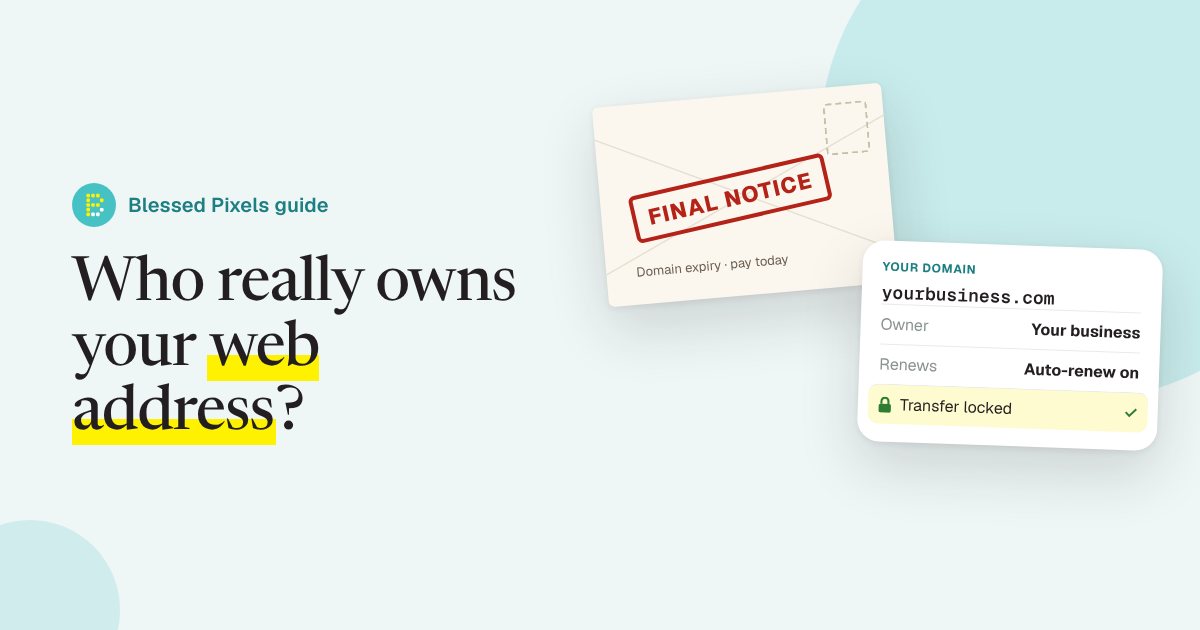
Sooner or later most domain owners get one. A formal-looking letter or email headed something like "Domain Name Expiration Notice", with your web address on it, a date and a price.
Often it isn't from your registrar at all. Some are sales letters trying to get you to transfer the domain to a different company, usually at a much higher price, worded so it reads like a bill. Others are straightforward phishing emails with a link to a fake payment page. ICANN has warned about fraudulent domain renewal emails and explains how to identify phishing scams aimed at domain holders.
Warning signs:
- It comes from a company you've never dealt with.
- The domain isn't due to expire soon when you check your own account.
- It mentions "search engine registration" or "listing" services alongside the renewal.
- The email link goes to an unfamiliar web address.
- It pushes urgency: final notice, act today, avoid losing your website.
The safe habit is simple. Never pay from the letter or click the link. Log in to your registrar the way you normally do and check the real expiry date there. If we registered your domain on one of our plans, renewals are ours to handle, as the plan terms explain, so forward anything suspicious to us and we will check it.
When the domain is fine but the website isn't
Once you know your domain is safe, have a look at what's sitting on it. Does it open securely, without a browser warning? Our recent post on Chrome's new warning for insecure websites covers that check. Does it work properly on a phone, and say clearly what you do?
If the honest answer is no, the domain you've just secured is the best possible starting point for a new site. You keep the address, your email and every link that already points to you. That's how our website plans work.
Frequently asked questions
How do I find out who owns my domain?
Use ICANN's lookup tool for most addresses, or Nominet's for .uk ones, to see the registrar and dates. Then log in to that registrar's account to check the registrant name is you or your business.
My web designer registered my domain. Is that a problem?
It can be. If it's in their name, they legally control it. Ask them to transfer it to you while you're on good terms.
What happens if my domain expires?
Your website and email stop working. After a grace period it may be released for anyone to buy. Turn on auto-renew and keep the payment card current.
Is a "Domain Name Expiration Notice" letter a scam?
Often it's a sales letter from another company or a phishing attempt rather than a real bill. Check your expiry date by logging in to your own registrar, never through the letter or email.
Should I register more than one domain?
It's worth considering the main versions of your name, such as .com and your country's own ending, if they're available at a reasonable price. Point them all at one website and keep them in one account.